> For the complete documentation index, see [llms.txt](https://doc.anytype.io/anytype/llms.txt). Markdown versions of documentation pages are available by appending `.md` to page URLs; this page is available as [Markdown](https://doc.anytype.io/anytype/documentation_cn/ji-chu/graph.md).
# 关联图谱(Graph)
Finally a dive into your graph of objects.
{% hint style="danger" %}
图谱功能目前在移动端应用上不可用。
{% endhint %}
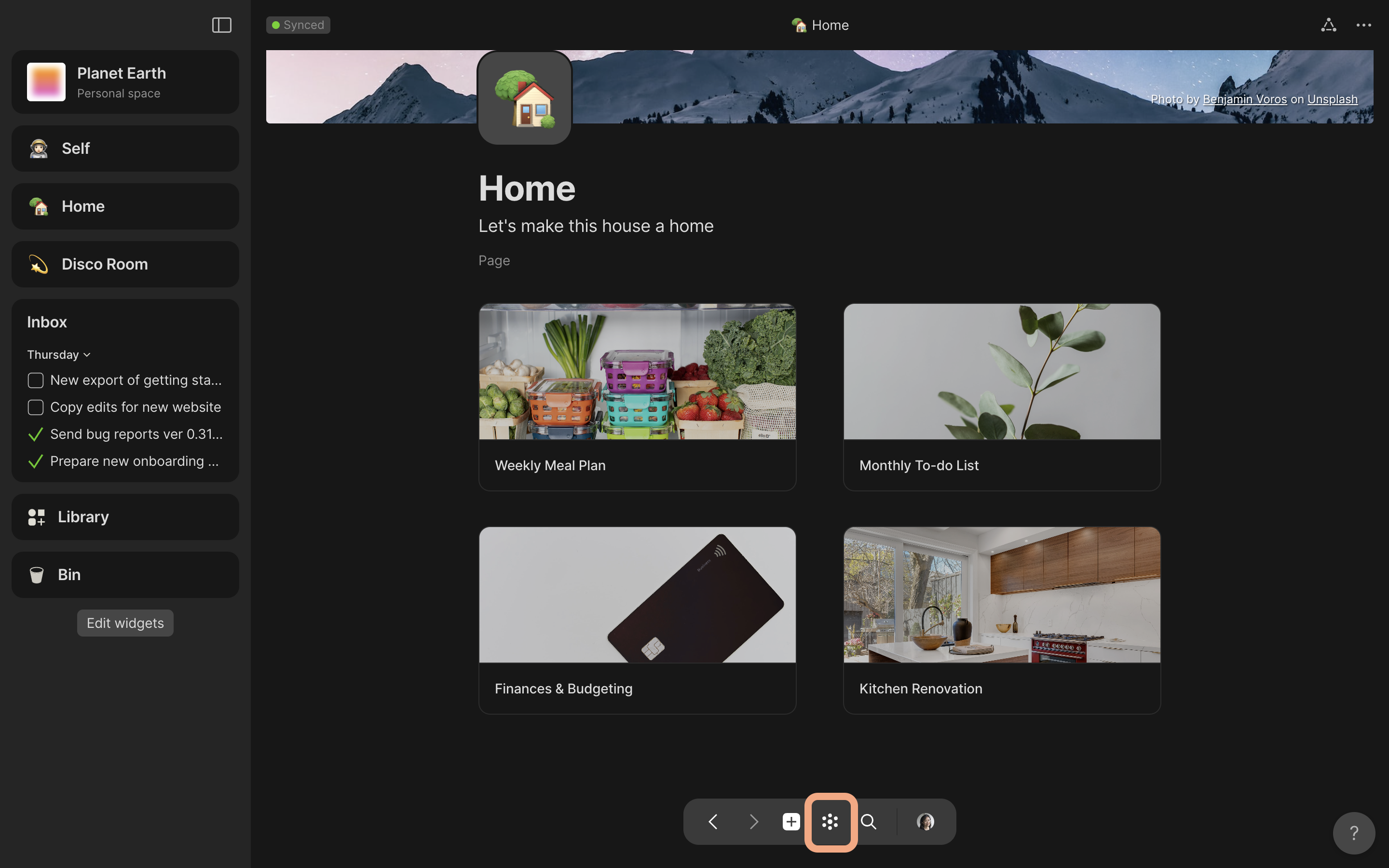
### 在应用中的任何位置,你都可以在底部导航面板中看到关联图谱的图标
找到导航面板中间的关联图谱图标
### 打开【关联图谱】,查看所有对象以及它们的关联。
在这里,你可以看到哪些【对象】连接在一起,以及所有对象的流向。
.png?alt=media)
在【图谱】视图的右上方,你可以执行 **搜索** 以及优化调整部分设置。
切换标题、箭头和图标的外观。
优化对链接、关联和孤立对象的查看。如**如果你发现缺少某些对象,检查孤立对象是否被设置为显示。**
.png?alt=media)
---
# Agent Instructions
This documentation is published with GitBook. GitBook is the documentation platform designed so that both humans and AI agents can read, navigate, and reason over technical content effectively. Learn more at gitbook.com.
## Querying This Documentation
If you need additional information that is not directly available in this page, you can query the documentation dynamically by asking a question.
Perform an HTTP GET request on the current page URL with the `ask` query parameter, and the optional `goal` query parameter:
```
GET https://doc.anytype.io/anytype/documentation_cn/ji-chu/graph.md?ask=&goal=
```
`ask` is the immediate question: it should be specific, self-contained, and written in natural language.
`goal` is optional and describes the broader end goal you are ultimately trying to accomplish on behalf of the user. GitBook uses it to tailor the answer towards what is most useful for that goal.
The response will contain a direct answer to the question and relevant excerpts and sources from the documentation.
Use this mechanism when the answer is not explicitly present in the current page, you need clarification or additional context, or you want to retrieve related documentation sections.