> For the complete documentation index, see [llms.txt](https://doc.anytype.io/anytype/llms.txt). Markdown versions of documentation pages are available by appending `.md` to page URLs; this page is available as [Markdown](https://doc.anytype.io/anytype/basics/channels.md).
# Channels
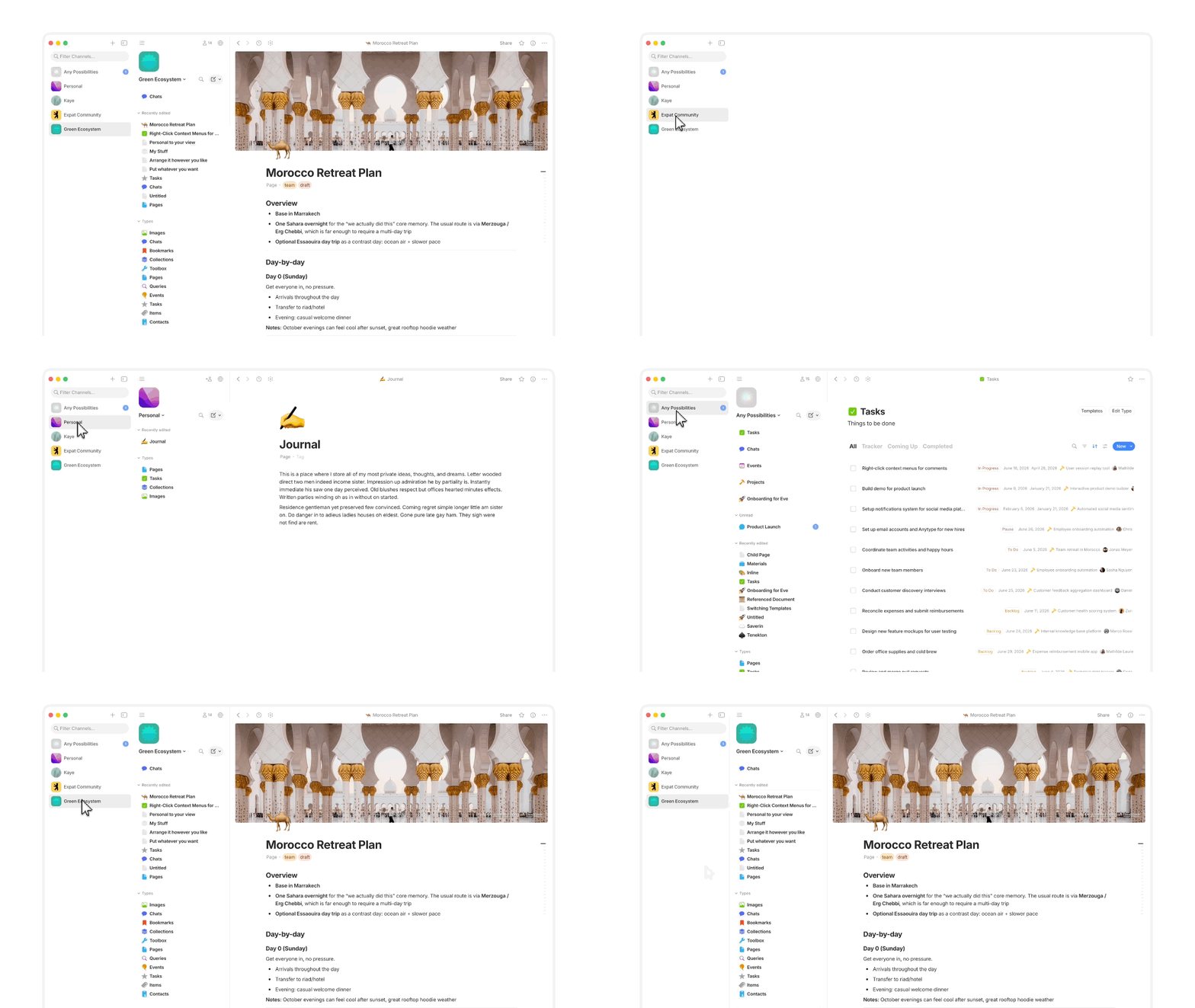
A **Channel**, also referred to as a Space, is a workspace inside your Vault. If your Vault is the house, then each Channel is a separate room with its own locked door. Each Channel has its own set of Objects, its own Sidebar, and its own members. Everything you create belongs to a specific Channel.
## Why it matters
Channels let you separate different parts of your life. You might keep a personal Channel for private notes and journals, a shared Channel for a project with collaborators, and another for a community or team. Each one is independent. Objects, Types, and Properties in one Channel don't affect another.
Because each Channel is encrypted separately, you have fine-grained control over who can see what.
## How it works
Every Channel has its own:
* **Objects** — the notes, tasks, and everything else you create
* **Sidebar** — customized to show what matters in that workspace
* **Members** — you decide who can view or edit
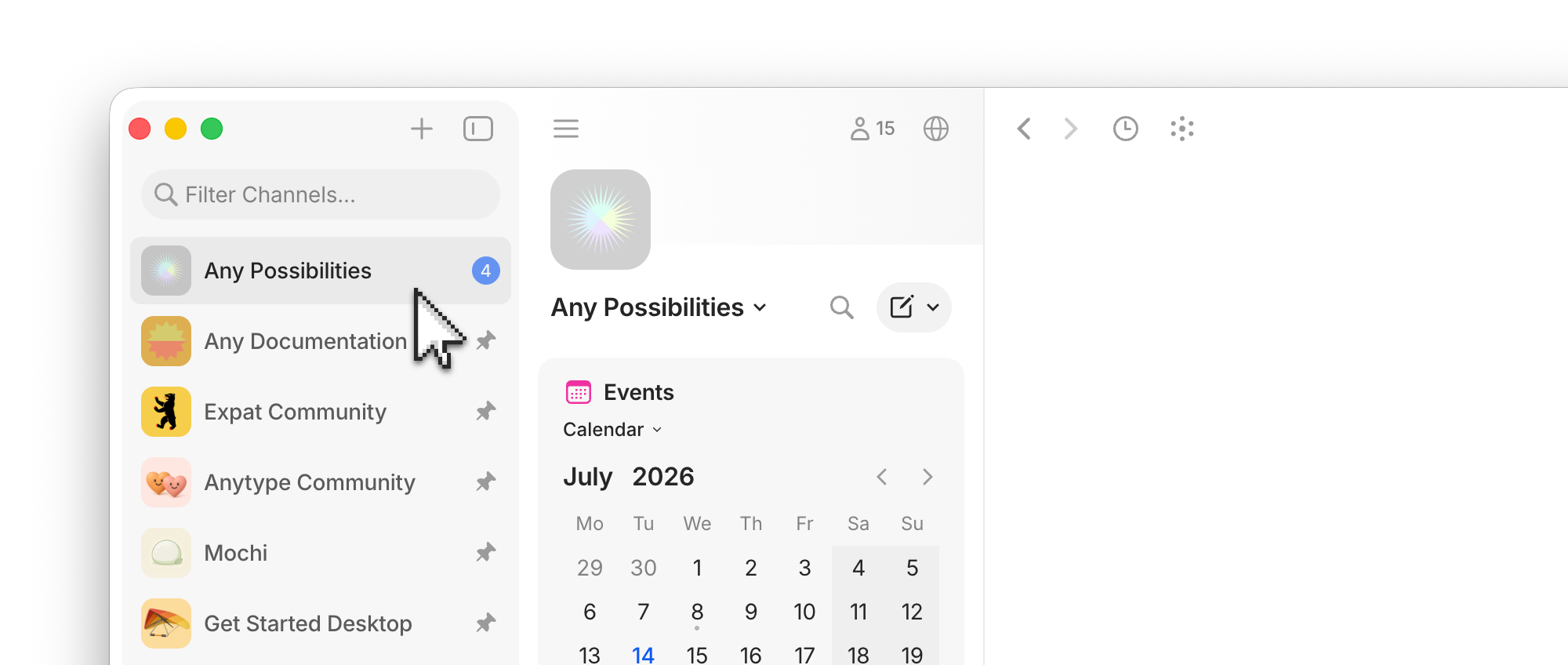
You can create as many Channels as you need. Use the Vault Sidebar (the leftmost panel) to switch between them.
## Create a Channel
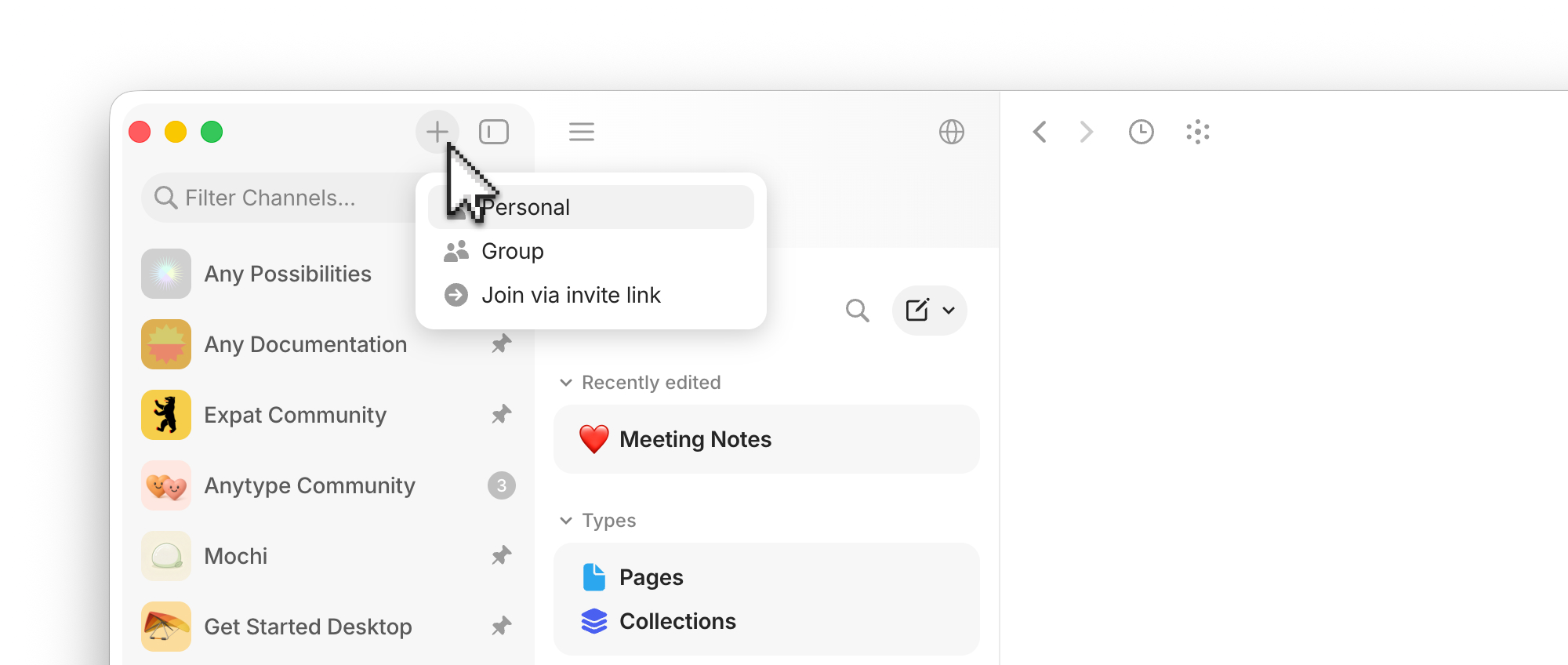
1. Go to the Vault Sidebar and click the 'plus' button at the top.
2. Select from any of the options:
1. **Personal** — just for you
2. **Group** — shared with others
3. **Join via invite link** — using an invitation link
3. **Name your Channel.** Pick something descriptive — Personal, Family, Design Team.
4. **Pick an icon.** Choose an emoji, upload an image, or skip.
5. **Invite members.** This is optional and you can do it later. See [Collaboration](/anytype/collaborate/collaboration.md) for details.
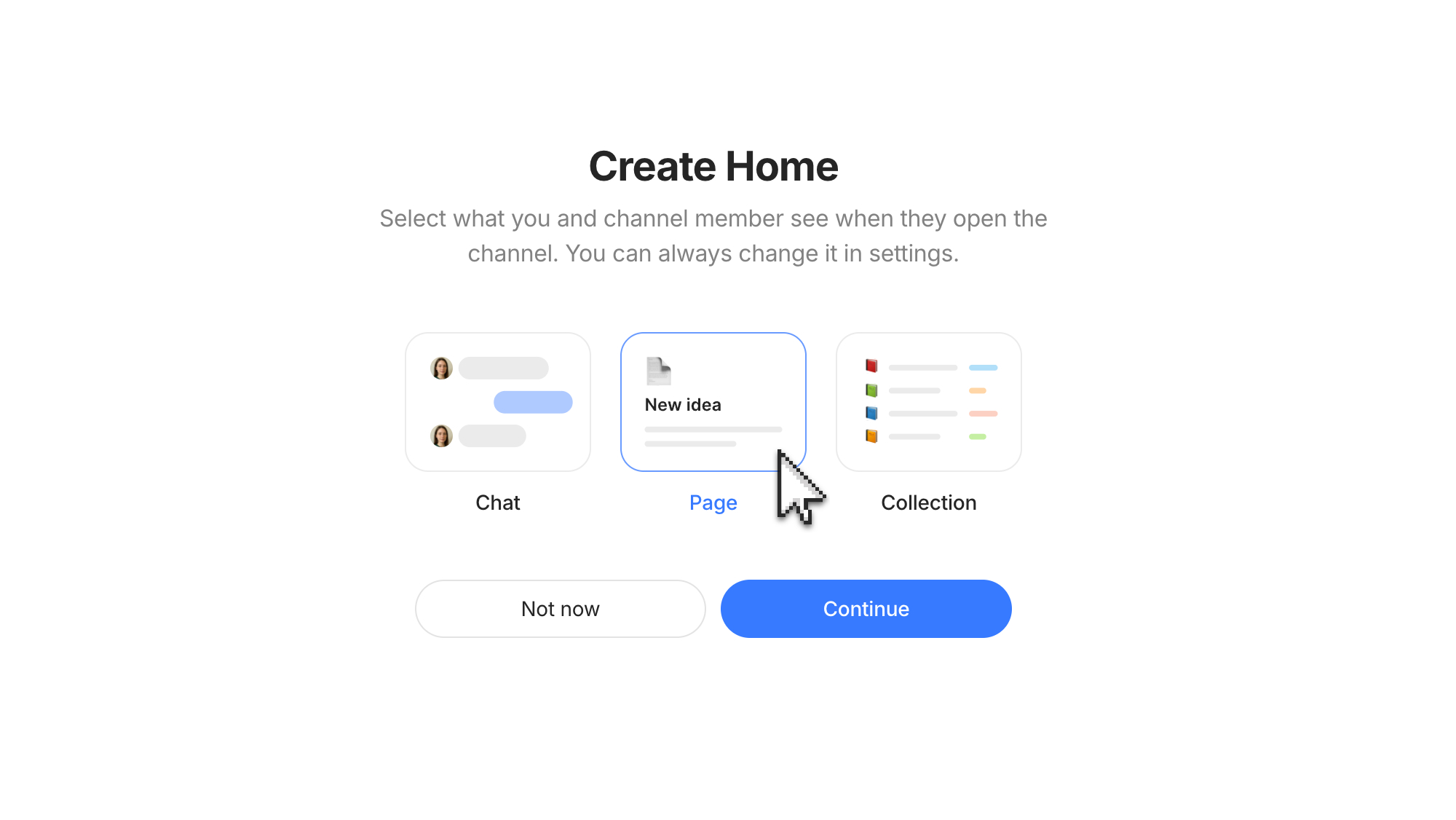
6. **Choose your Home.** Choose Page by Default. [See below](#choosing-a-home) for more details.
7. **Click Create.**
It's easiest to start with 'Personal', you can always add others to your Channel later and share an invitation link.
## Setting up your Channel
Once your Channel exists, you'll land on the Home you chose. Some next steps:
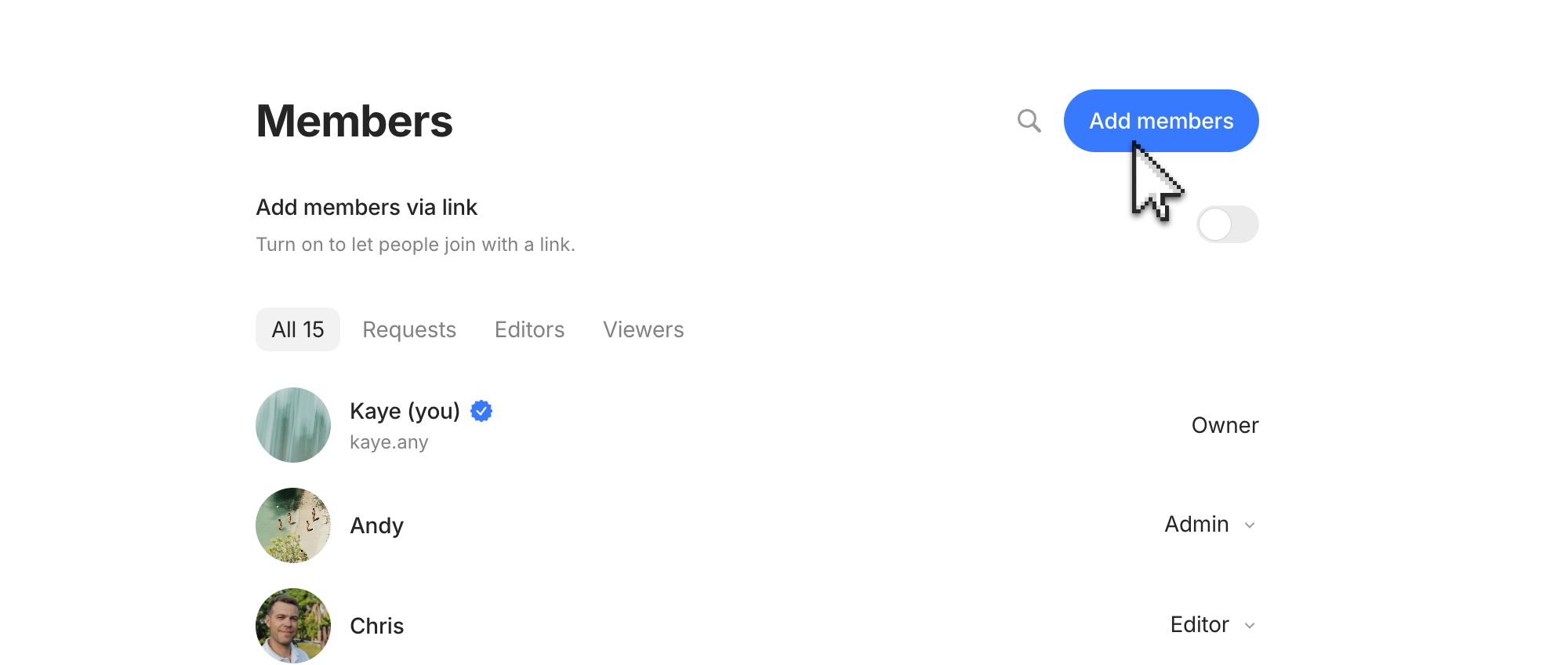
* **Invite members** — open Channel Settings > Invite Members share your space with others. See [Collaboration](/anytype/collaborate/collaboration.md).
* **Customize the Sidebar** — pin or favorite important Objects and add widgets. See [Sidebar](/anytype/basics/sidebar.md).
* **Set up Types and Properties** — create your organization system. See [Types](/anytype/organize/types.md).
* **Choose a Home Page** — pick what loads first when you enter the Channel. See [Choosing Home](#choosing-a-home).
### Inviting others
To share access and collaborate with others, use the Members section in the Channel Settings. You can generate invitation links, approve access, revoke access, and decide on permission levels. [See more here](/anytype/settings/channel-settings.md#members).
### Choosing a Home
The Home sets the tone for what the Channel is for. Every Channel has the same capabilities, the Home simply decides what is the starting point.
Your Home can be any of three things:
| Home Type | Best for | What members see when they enter |
| -------------- | ------------------------------------------------------------------- | ----------------------------------------------- |
| **Chat** | Conversational Channels — communities, social, casual collaboration | A live message stream |
| **Page** | Documentation, wikis, reference Channels, personal notebooks | A single Object with content and links |
| **Collection** | Project Channels with multiple related items | A curated list of Objects in your chosen layout |
You can change the Home later in **Channel Settings > General > Homepage** — so don't worry about getting it perfect on day one. Here is some help in making a decision of what to choose:
#### Chat as Home
Chat-Home feels like a group conversation. Members open it and see the latest messages immediately. Use this for when conversation is the main activity, with documents and notes as the supporting cast:
* Team standups and async chat
* Communities and interest groups
* Family or friend discussions
#### Page as Home
Page-Home feels like a wiki or document. Members open it and land on a specific Object — usually a "welcome" or "dashboard" page that links out to everything else. Use this for when knowledge is the main activity:
* Team documentation
* Personal knowledge bases (your "second brain")
* A community center dashboard
#### Collection as Home
A Collection-Home Channel feels like a project board or library. Members open it and see a list of Objects — tasks, documents, references, whatever you've added. Use this for when there's a need to see a lot of data:
* Project Channels with mixed content (tasks, notes, files)
* Reading lists and curated archives
* Travel planning, event prep, or anything with a defined scope
{% hint style="info" %}
Each Channel has its own Types and Properties. If you've set up custom Types in one Channel, they won't automatically appear in another.
{% endhint %}
## Direct Channels
You can create a one-to-one Channel between you and another Anytype user with Direct Channels. These operate similarly to direct chats with individuals. [See more here](/anytype/collaborate/chats/direct-channels.md).
## Channel Settings
To change your preferences and customize your Channel, please see [Channel Settings](/anytype/settings/channel-settings.md). From this section, you can:
* Invite others to the space
* Import and export data
* Change your notifications
* Change channel ownership
* Delete a channel
---
# Agent Instructions
This documentation is published with GitBook. GitBook is the documentation platform designed so that both humans and AI agents can read, navigate, and reason over technical content effectively. Learn more at gitbook.com.
## Querying This Documentation
If you need additional information that is not directly available in this page, you can query the documentation by asking a question.
Perform an HTTP GET request on the following URL with the `ask` and `goal` query parameters:
```
GET https://doc.anytype.io/anytype/basics/channels.md?ask=&goal=
```
`ask` is the immediate question: it should be specific, self-contained, and written in natural language.
`goal` is what the user is ultimately trying to achieve, the reason they need the answer. Sharing it helps GitBook give you a better, more relevant answer. A goal is most helpful when it describes the outcome the user wants rather than restating the question. For example, with `ask=how do I create an API token`, a goal like `automate deployments from our CI pipeline` lets GitBook tailor the answer to that use case.
The response will contain a direct answer to the question and relevant excerpts and sources from the documentation.
Use this mechanism when the answer is not explicitly present in the current page, you need clarification or additional context, or you want to retrieve related documentation sections.