> For the complete documentation index, see [llms.txt](https://doc.anytype.io/anytype/llms.txt). Markdown versions of documentation pages are available by appending `.md` to page URLs; this page is available as [Markdown](https://doc.anytype.io/anytype/resources/troubleshooting/anysync-netcheck-tool.md).
# AnySync Netcheck Tool
A simple tool that checks the ability to connect to Anytype nodes. It was created to test network and TLS (sync) issues.
The *Netcheck* Tool opens a connection to the coordinator nodes to establish communication with the libp2p protocol and *AnySync* handshakes, to attempt to execute network configuration requests.
***
### Download
You can download the version for your OS here:
{% embed url="" %}
The .zip contains all our tools, but the sync check procedure requires only **“any-sync-netcheck”**.\
(The other file is our [self-hosting tool](https://github.com/anyproto/any-sync-tools/blob/main/any-sync-network/README.md).)
### Installation
**Build from source:**
`go install github.com/anyproto/any-sync-tools/any-sync-netcheck@latest`
***
#### Running The Tool
Execute the file named:
* `any-sync-netcheck`
* *or* `any-sync-netcheck -v` for a verbose output
***
#### Result
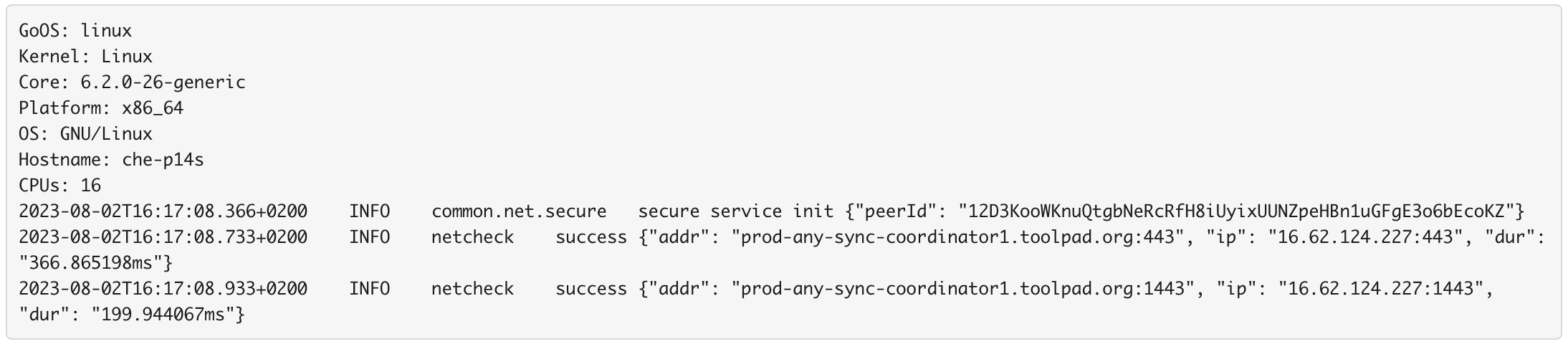
* If your sync is **working as expected**, your output log should look something like this:\\
* **If the tool detects any errors:** please provide all details about your network setup, including VPN, proxy, firewalls, and antivirus. In this event, we may request you to run a trace-route or other system tools for further analysis later on.
---
# Agent Instructions
This documentation is published with GitBook. GitBook is the documentation platform designed so that both humans and AI agents can read, navigate, and reason over technical content effectively. Learn more at gitbook.com.
## Querying This Documentation
If you need additional information that is not directly available in this page, you can query the documentation by asking a question.
Perform an HTTP GET request on the following URL with the `ask` and `goal` query parameters:
```
GET https://doc.anytype.io/anytype/resources/troubleshooting/anysync-netcheck-tool.md?ask=&goal=
```
`ask` is the immediate question: it should be specific, self-contained, and written in natural language.
`goal` is what the user is ultimately trying to achieve, the reason they need the answer. Sharing it helps GitBook give you a better, more relevant answer. A goal is most helpful when it describes the outcome the user wants rather than restating the question. For example, with `ask=how do I create an API token`, a goal like `automate deployments from our CI pipeline` lets GitBook tailor the answer to that use case.
The response will contain a direct answer to the question and relevant excerpts and sources from the documentation.
Use this mechanism when the answer is not explicitly present in the current page, you need clarification or additional context, or you want to retrieve related documentation sections.